DND Master

Upcoming version 3.1.0

Lead the story.
Set the atmosphere.

Campaigns, combat and music for D&D, together on iPad and iPhone. Prepare your adventure and keep the tools you need close throughout the session.

Russian app interface · iPad and iPhone · Version 3.1.0 requires iOS / iPadOS 26.4+

Music, playlists and effects on iPad

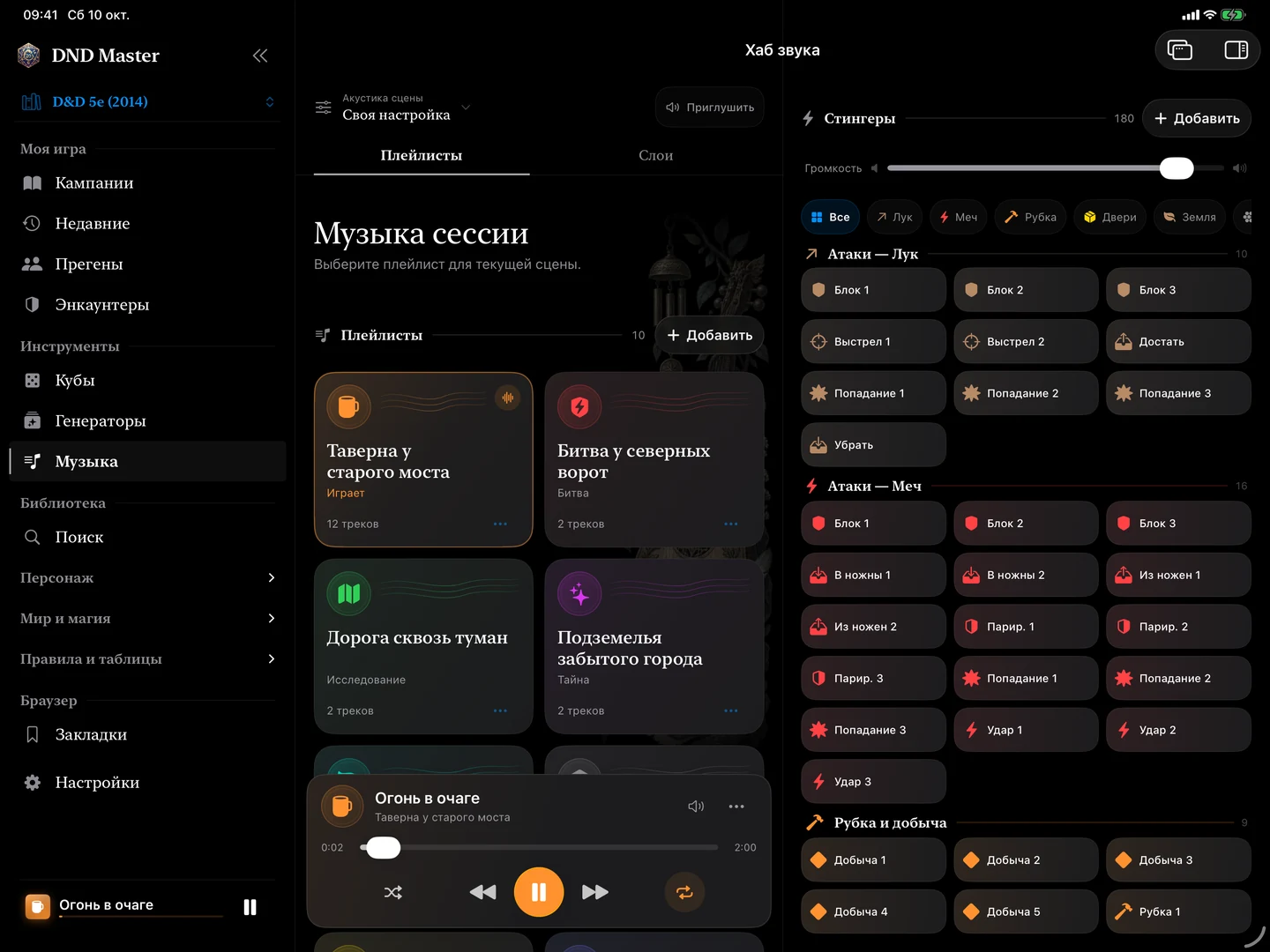
Screenshot of upcoming version 3.1.0. The sound hub brings playlists, ambient layers and short effects together.

01 Prepare the campaign02 Set the sound03 Run the encounter

Atmosphere at your fingertips

Give every scene
its own sound.

A crowded tavern, an uneasy dungeon, the clash of steel. Build a soundscape for your game and change the mood as the story unfolds.

01

Your music and playlists

Import audio files and organise music for travel, conversations and combat. Switch playlists with smooth transitions.

02

Ambience and effects

Add ambient layers and trigger short sounds at just the right moment. Adjust music, ambience and effect volumes separately.

03

Room for your voice

Choose the scene’s acoustics and lower the sound when it is time to speak. Music controls stay close to your other game tools.

Built-in sounds and audio imported to the device work offline. Add your own music to create playlists.

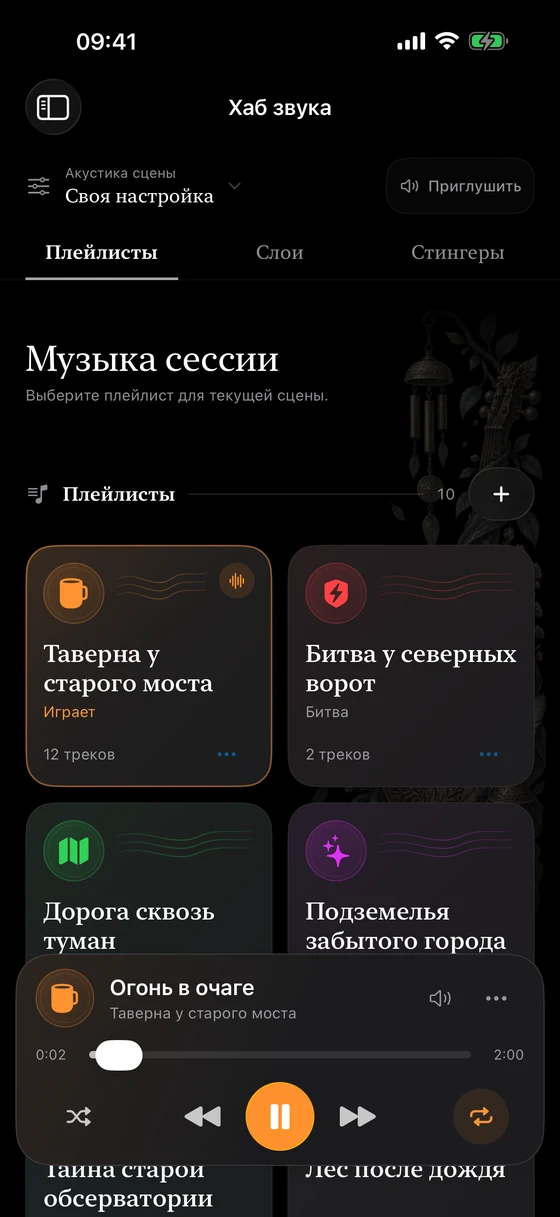
Sound hub on iPhone

From the first idea to the final round

Keep the session in view.

Bring your preparation and your tabletop tools together: characters, notes, creatures and the current encounter.

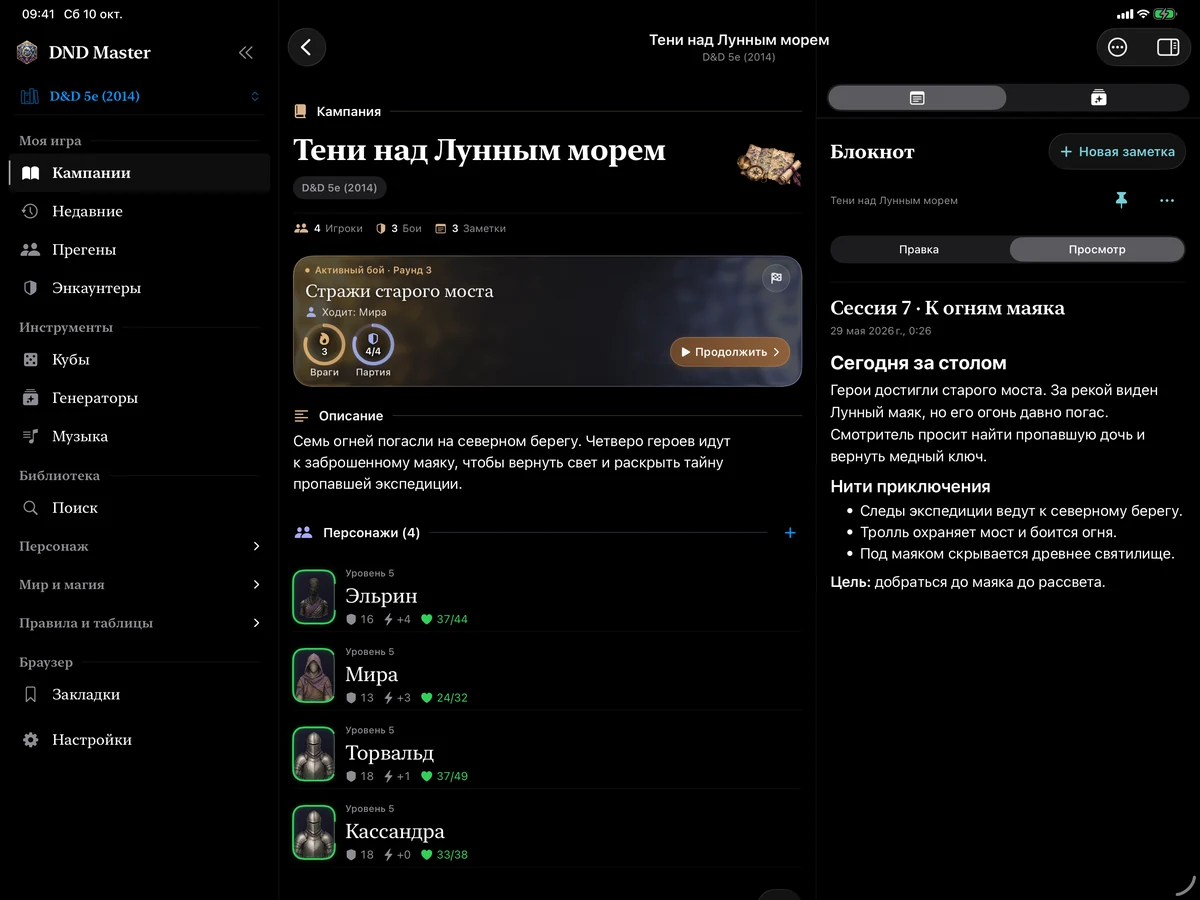
Campaign with characters and notes

Build your adventure

A campaign brings together characters, notes and encounters. Prepare scenes in advance and return to what you need as the game unfolds.

  • Characters and sheets, notes and combat history
  • Prepared encounters and custom NPCs
  • Campaign and character file import and export
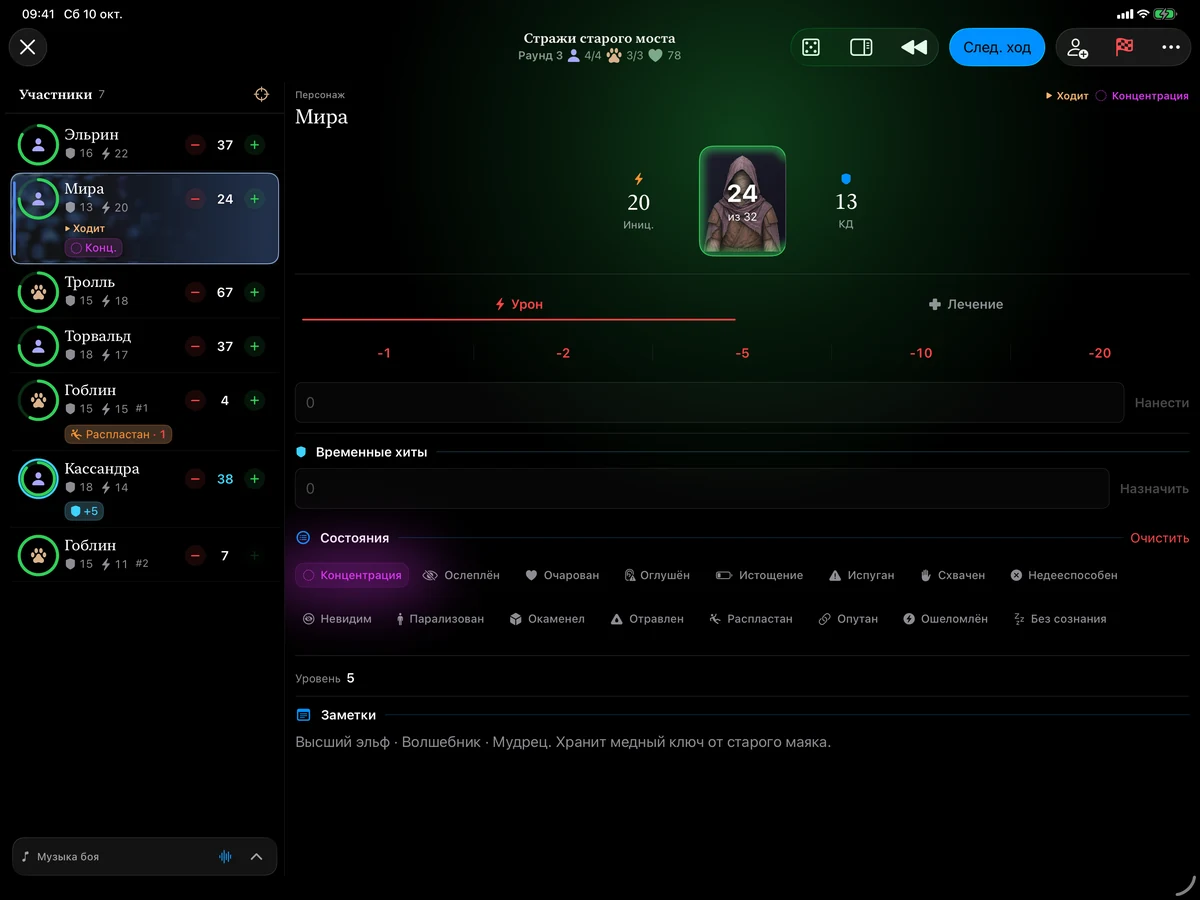
Combat tracker with initiative, hit points and participants

Keep combat moving

Track initiative, hit points, temporary hit points, conditions and concentration in one place. Add participants and move through turns as the encounter develops.

  • Damage and healing for players and creatures
  • Rounds, turn order and quick dice rolls
  • Creature stat blocks and condition rules close by
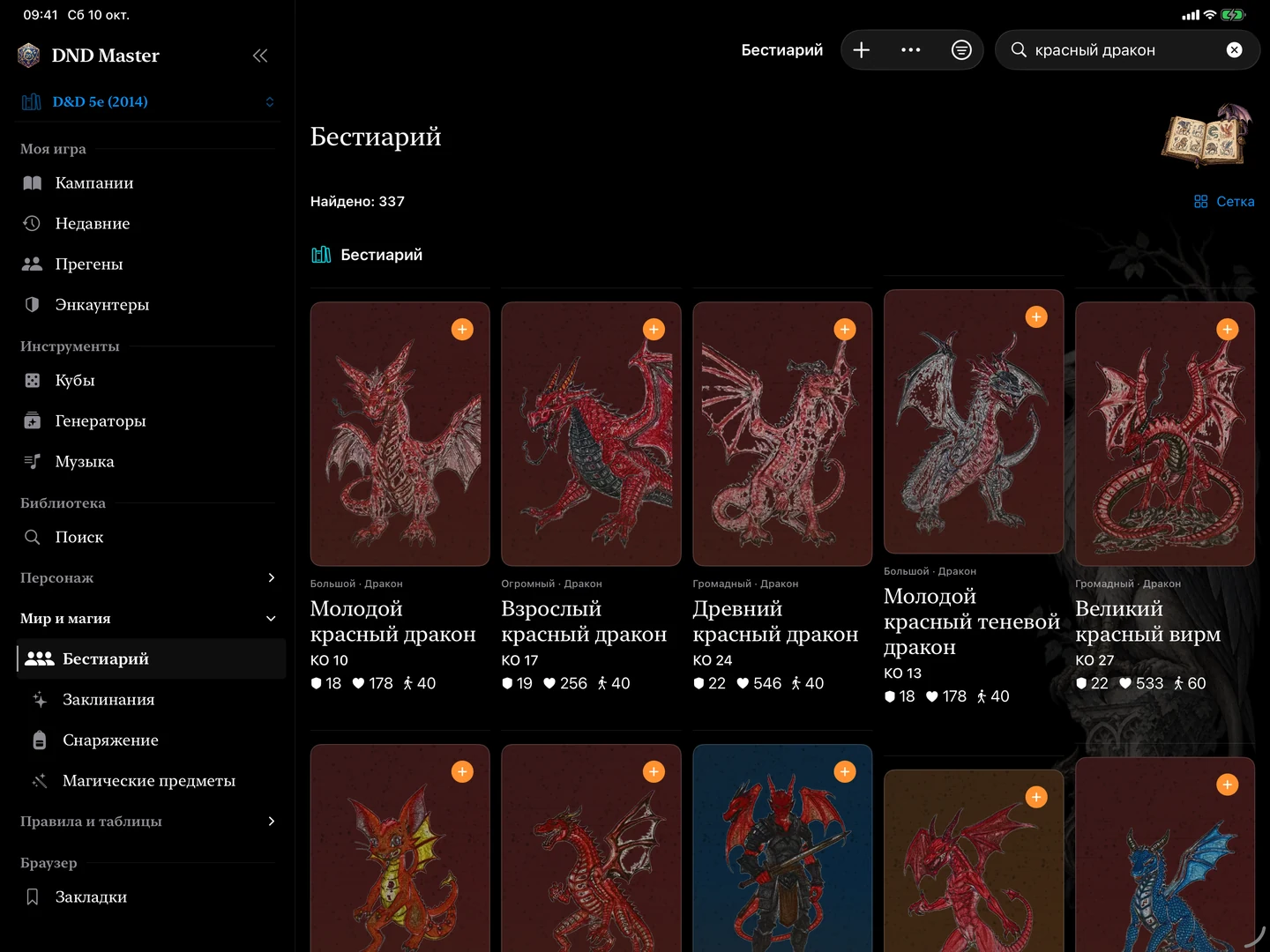
Bestiary catalog in the Russian D&D library

Your edition’s library

Rules within reach.
Even offline.

The upcoming 3.1.0 release lets you choose D&D 5e 2014 or 2024 and download its library. Once installed, search and read the available creatures, spells, items and articles offline.

D&D 5e · 2014D&D 5e · 2024

Switching editions separates campaigns and game material. Entries retain their source links and provenance information. Library content is in Russian.

Library contents differ. Adventure, NPC and loot generators are available for the 2014 edition; they are not automatically available for 2024. Downloads and updates require internet access.
Play together around one table

Players only need a browser.

Start the local companion and invite players with a QR code. They do not need to install DND Master or create a separate account.

  1. 01

    Join the same Wi-Fi network

    The game master’s device hosts the session and must remain available on the local network.

  2. 02

    Open the QR-code link

    Players choose a character and access their sheet, the library and current-turn information.

  3. 03

    Stay in the game

    Players can edit the available sheet fields and send dice rolls. The game master controls the session and its connections.

Questions

Before your first session

Support on Telegram ↗
What works offline?

Campaigns, combat tracking, dice, built-in sounds and imported audio. Library content works after installation; local AI works after a compatible model is downloaded. The companion needs a shared local Wi-Fi network. Downloads, iCloud and external websites require internet access.

Do I need both libraries?

In version 3.1.0, no. Download the edition you play. You can add the other later. The app shows download size and storage information.

Is AI required to use the app?

No. Campaigns, music, dice and combat tracking work independently of AI. Install a model separately if you want the assistant and your device supports it.

How do I move a campaign?

Use campaign and character file import and export. Game records may also sync through your personal iCloud when it is available and enabled for the app. Audio files and downloaded models are stored locally.

Where can I ask a question or report a problem?

Visit the DND Master community on Telegram or email the developer. Include your app version, device model and steps that led to the issue. Avoid sharing personal campaigns or secrets unless necessary.

Your next adventure
starts at your table.

DND Master for iPad and iPhone. App interface and content in Russian.

View on the App Store ↗